 Deco My Tree
How to Decorate a Christmas Tree Online with Friends on Your Phone (2026)
You can decorate a Christmas tree online with friends on your phone in 2026. Open Deco My Tree in a mobile browser, swipe through the decoration cards, and share the finished tree in your group chat. The screenshots below show each tap.
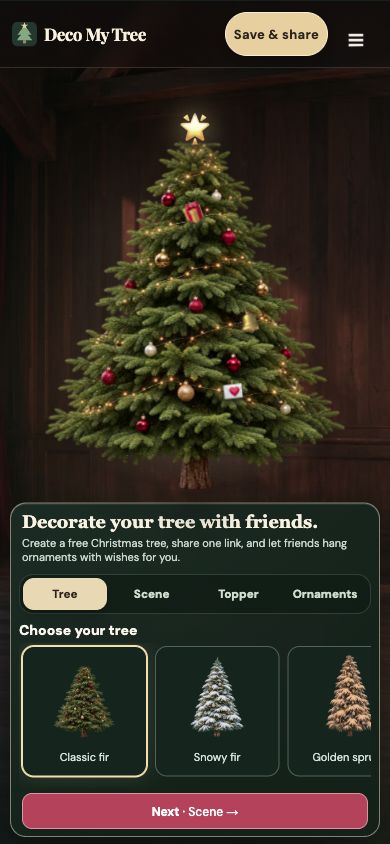
1. Open the Tree tab and swipe for styles
Open the editor in your phone browser. Swipe left or right on the Tree cards, tap a style and choose Next · Scene.
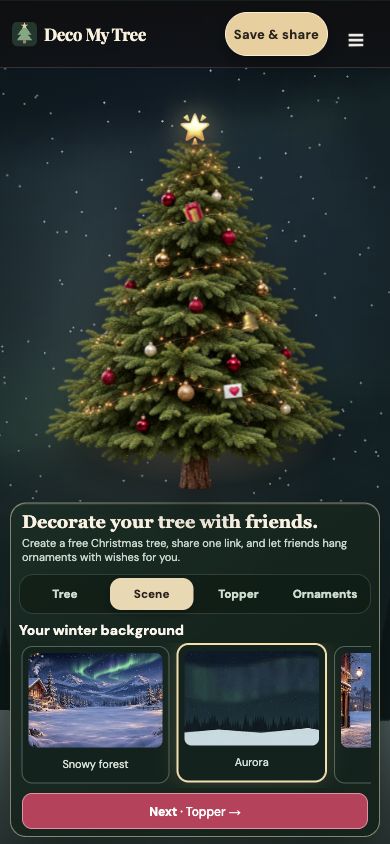
2. Swipe through winter backgrounds
On Scene, swipe the wide background cards sideways. Tap one to preview it behind your tree and choose Next · Topper.
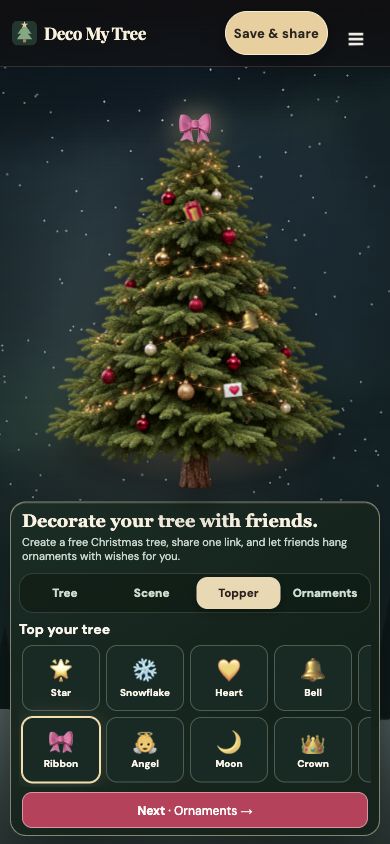
3. Choose a topper from the two rows
Swipe the two rows on Topper. Tap a star, bow or another topper and continue with Next · Ornaments.
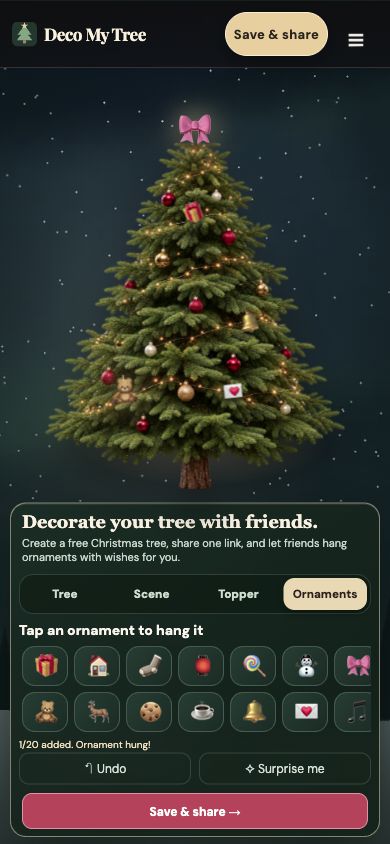
4. Tap an ornament to hang it
Swipe the Ornaments tray and tap a decoration to hang it. Use Undo to remove your last addition or Surprise me to add a random one.
5. Tap Save & share and enter a nickname
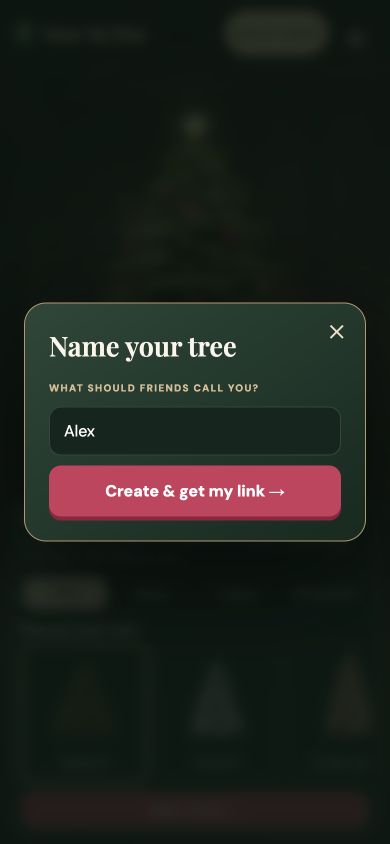
Tap Save & share at the top or below the ornaments. In the pop-up, enter a nickname and tap Create & get my link.
6. Copy the link to your group chat
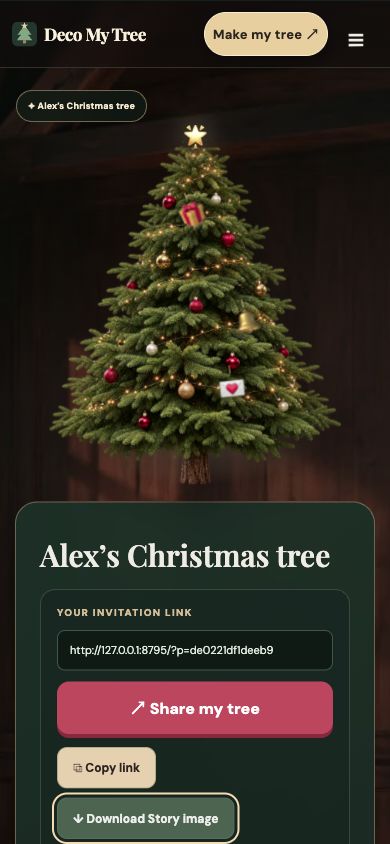
On the owner page, tap Share my tree or Copy link. If you copy it, switch to Messages or WhatsApp and paste it into your chat.
7. Show friends how to add a wish
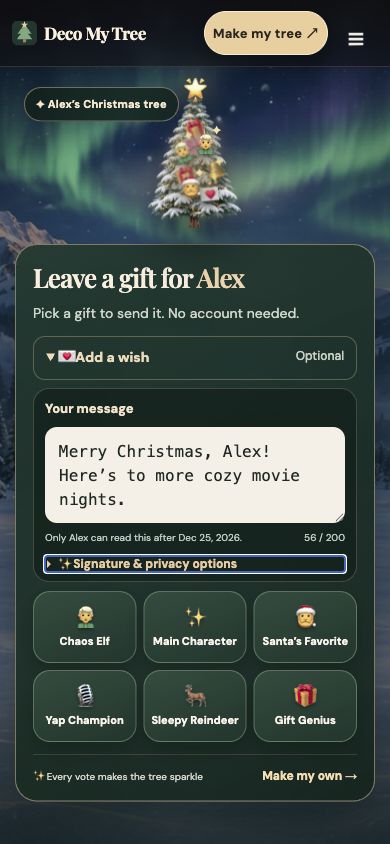
When a friend opens the link, they can tap Add a wish and write something personal. They tap one of the award cards to send the gift.
8. Come back to unwrap your gifts
Return to My tree and check the gift inbox. When the displayed reveal time arrives, choose a gift to see the note.

On a computer? Use the desktop walkthrough.
See how to share your tree on WhatsApp, Telegram, X and Facebook.