 Deco My Tree
How to Share Your Online Christmas Tree with Friends
Open your tree in Deco My Tree, copy the invitation link from the owner page, and send it where your friends already talk. They can open it in a browser, choose a playful award to hang a gift, and add a Christmas wish if they like. They don’t need an account.
Find the invitation link
After you save your tree, choose Copy link under Your invitation link. The share buttons on the same panel can also open a draft on WhatsApp, Telegram, X, or Facebook. Send the invitation link to friends and keep the private owner link for managing your tree.
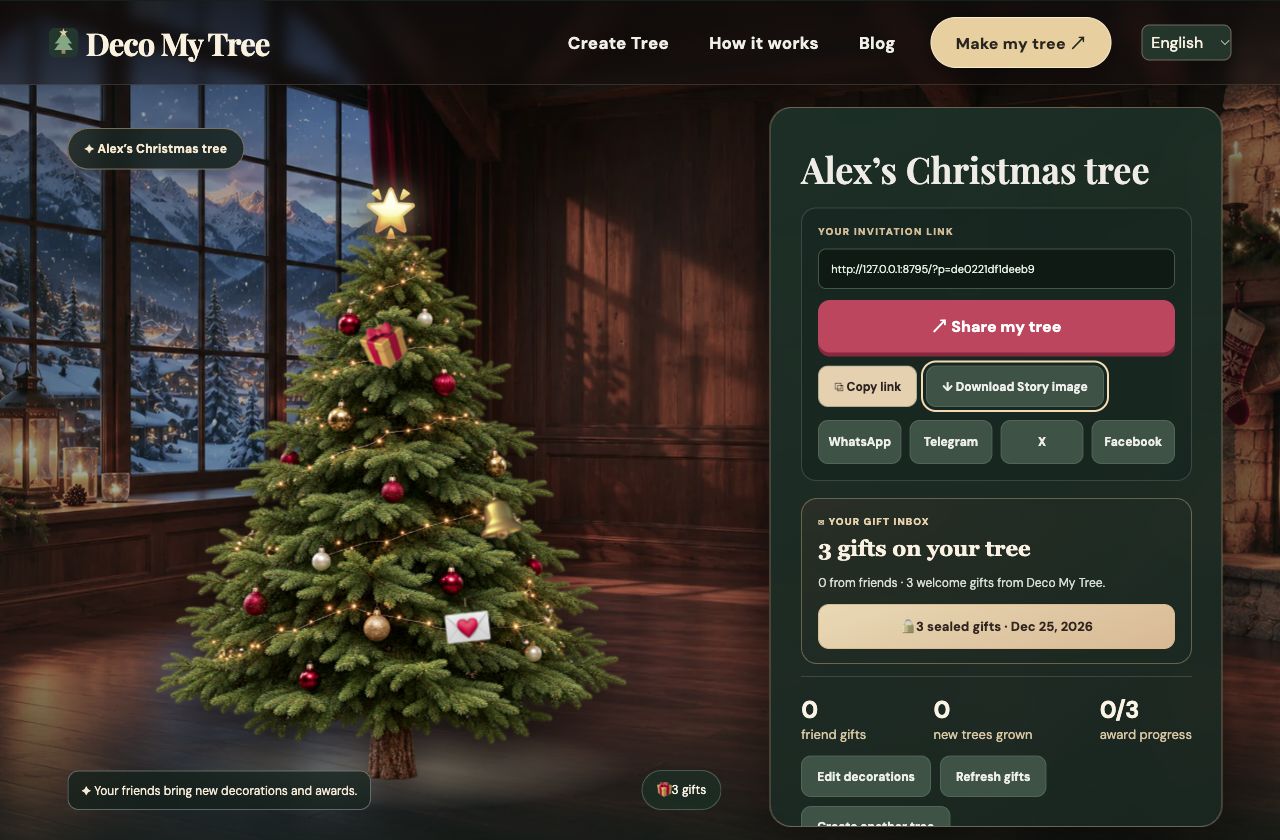
Choose where to share
Group chat: Good for a family or friend group that already talks there. Direct message: Useful if you only want to invite a few people. Public post: Works for a wider invitation. Anyone who receives the link can open the tree, even if someone forwards it from a private chat.
Choose WhatsApp from your tree’s sharing panel or paste the invitation link into your family group. Pin the message if the group allows it. Ask for one favourite memory from the year so friends know what to write.
Telegram
Choose Telegram or paste the link into your group’s holiday topic. Pin the invitation where permitted so newcomers can find it. In a gaming group, invite people to pick the award that best fits a shared moment.
X
Choose X to open a post draft. If you attach a tree image, keep the clickable invitation link in the post text. For a small circle, copy the link and send it in a DM instead.
Facebook and Messenger
Choose Facebook to open its share flow, then check the audience before posting. For a family chat or an existing private group, paste the invitation into Messenger or the group directly.
Invitation messages you can copy
For your family group
Our Christmas tree is up! 🎄 Add a gift and tell me one favourite memory from this year. Here’s the tree: [tree link]
For a friend group or public post
Which Christmas award fits me? Pick one and hang it on my tree. You can leave me a wish too! 🎁 [tree link]
Tell friends what happens next
On the invitation page, friends can select Add a wish before tapping an award. Choosing an award sends the gift and any message they wrote. The written wish stays sealed until the reveal time shown in your gift inbox. After the reveal, visitors can read a wish only if its sender chose to make it public.
Need help with the editor? See the desktop walkthrough or phone walkthrough.